Batch photo & media management for Mac
The image of order.
Batch rename photos from their own metadata, convert RAW and HEIC, and find duplicates — every change reversible.

Organize a large photo library on your Mac in minutes, not hours.
Archyv does in one pass what used to take an afternoon of manual work and a pile of separate utilities.
Built for the people who manage large libraries — digital asset managers, archivists, photographers, and researchers.
- Rename hundreds of files from a reusable template — consistent and correct the first time
- Sort into dated folders — file thousands of photos by the date they were taken, not the date they were copied
- Convert between formats without hunting down a separate tool for each
- Find and remove duplicates — clear out the copies that pile up when scattered folders are consolidated into one library
- Tag and edit metadata so the whole library stays searchable and project-organized
- Every change is reversible — review your change history and undo anything, for a retention period you control
Capabilities
One app. Twelve focused tools for photo and media files.
Batch renaming, metadata editing, format conversion, duplicate detection, and file transfer — organized into five simple workflows. Pick a workflow, pick a tool, set your options, run it.
Scan & Select
Read-onlyNarrow a big folder down to just the files you need — find the ones that already have a piece of info set, or the ones missing it.
File Naming
Live previewStandardize file names in bulk, with a live preview before you commit anything.
Metadata
10 categoriesView, edit, and standardize the information inside your files — captions, copyright, location, dates, and dozens of fields.
File Management
5 toolsMove, copy, convert, and tidy your library — and find what is duplicated.
Reversible by design
Always onNothing is permanently deleted by default, and every change is reversible.
Workflow
A simple, repeatable loop.
Five steps — the same every time. Guidance is always one click away.
Choose files
Pick a folder, then select all or just some — with a live count as you go.
Pick a tool
Choose a workflow, then the specific process you want to run.
Set options
Configure the run — often from a saved, reusable template.
Run it
Press Start. Archyv works through the whole batch at once.
Review
A summary shows what was processed, skipped, or failed — plus a log of every change.
A closer look
Batch-edit photo metadata on your Mac — across ten categories.
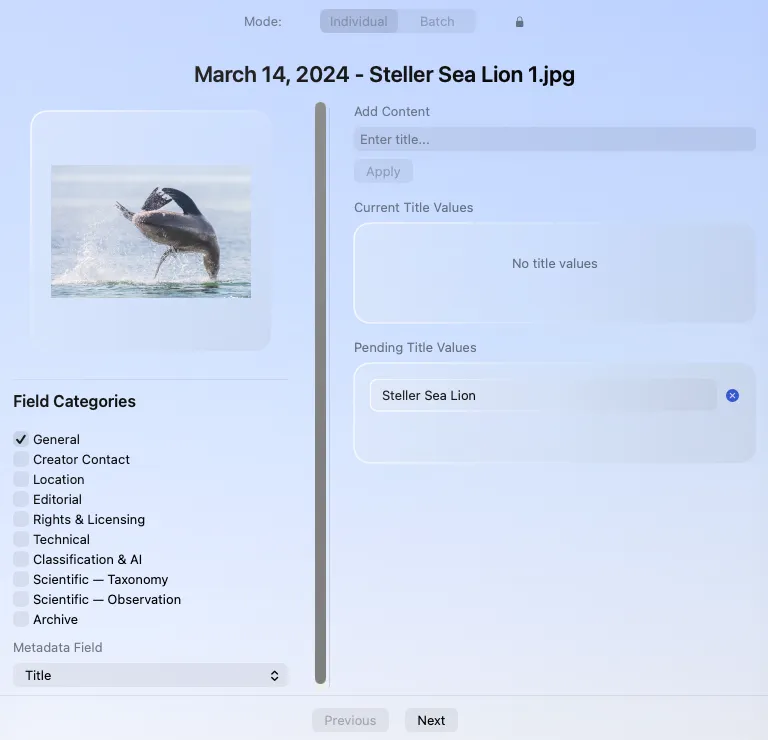
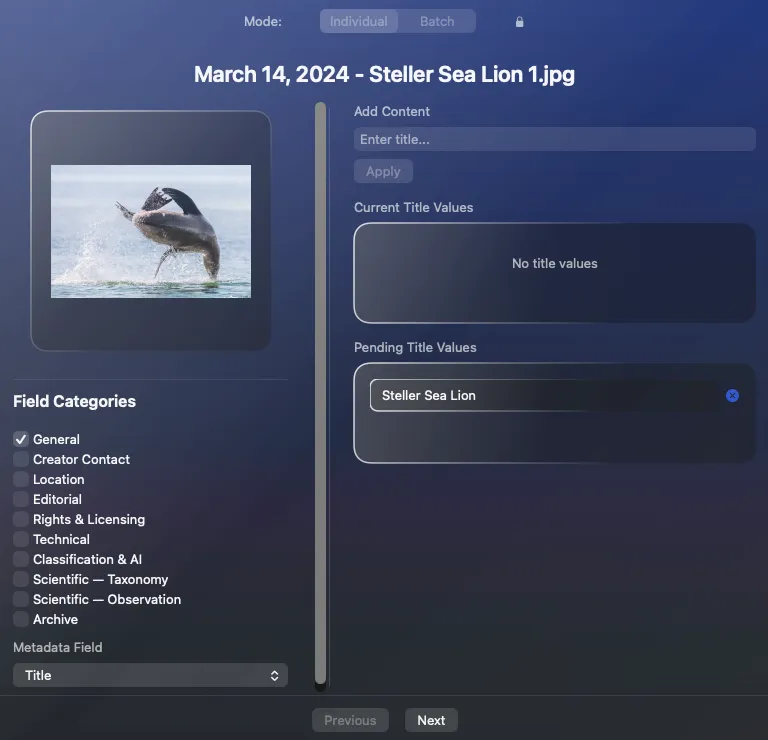
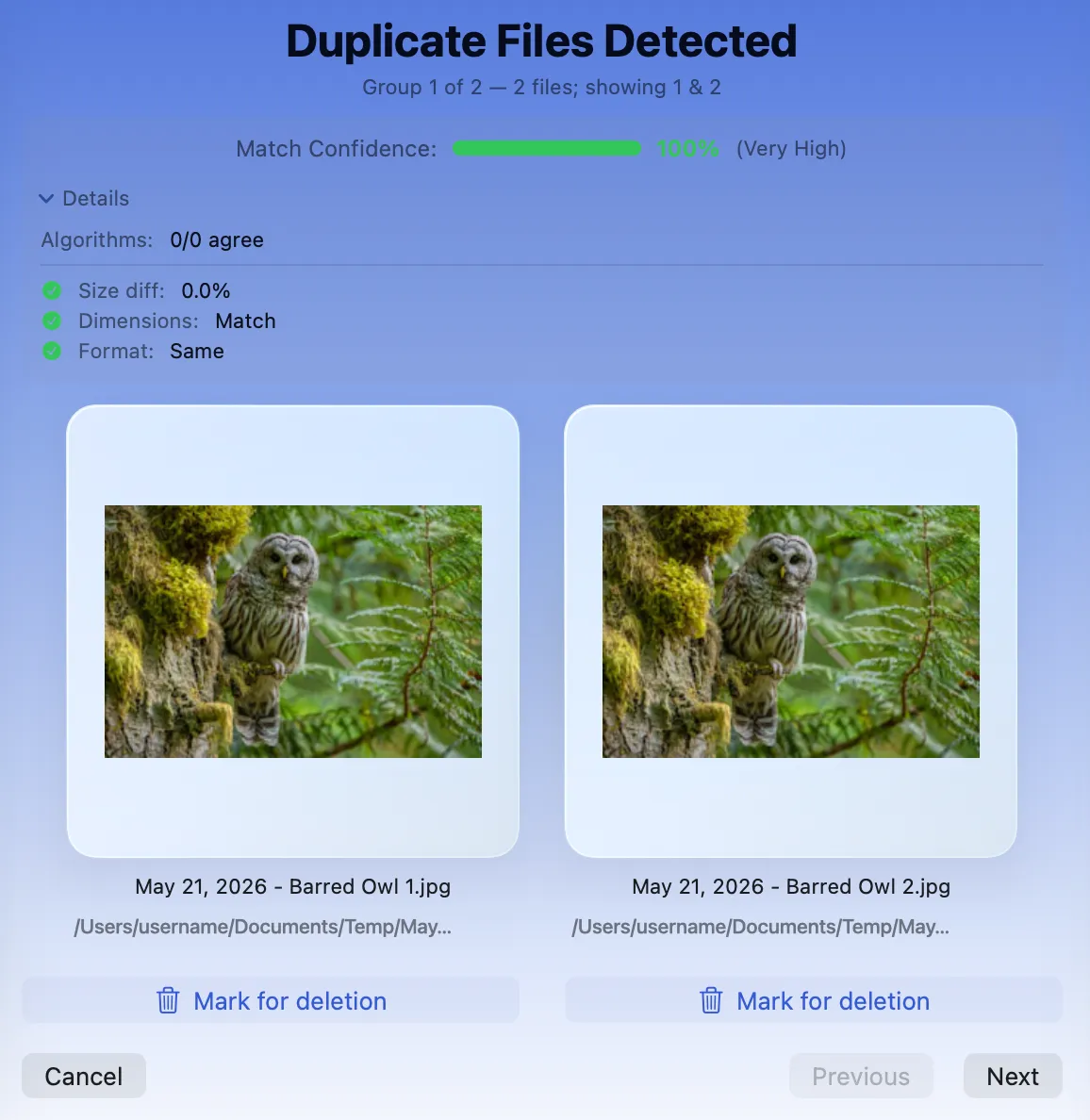
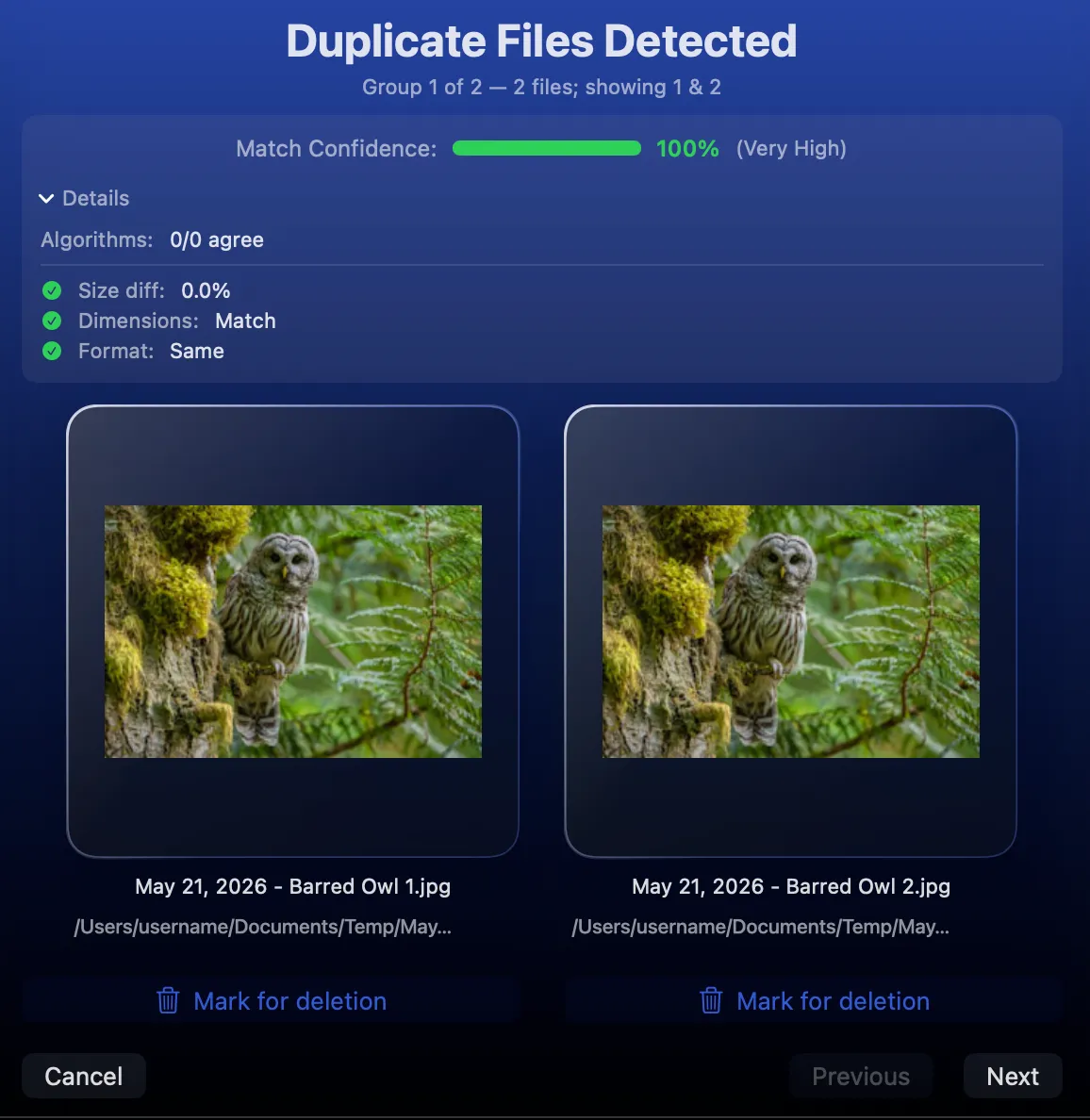
Find duplicate photos and videos — and see every match side by side.
Archyv groups duplicate and similar images and videos, scores each group by match confidence, and lays the candidates out together. Nothing is deleted while you browse — you mark what to remove, and review before anything happens.
Each group is scored and backed by the evidence — algorithm agreement, size, dimensions, and format — so you can see exactly why the files were flagged as a match, and trust that they truly are.
Candidates sit together at full size, so the file worth keeping is obvious at a glance.
You mark what to remove — nothing is deleted while you browse, and every choice stays yours.
Privacy
Your photos never leave your Mac.
Archyv runs entirely on your computer. No cloud processing, no account required, no AI model phoning home. The only things that ever touch the network are license activation and validation, a daily update check, and optional anonymous crash reporting — never your photos, your metadata, or your file paths.
Formats
Writes metadata to 32 formats — and reads 40.
The valuable part is the writing: captions, copyright, location, dates, and dozens of other fields written into 32 of the 40 formats Archyv reads — every standard image except BMP, the main video formats, and every RAW format (via XMP sidecars, so originals stay untouched). Common audio files are recognized for sorting alongside.
Writes metadata = captions, copyright, location, dates and dozens of other fields written into the file — RAW uses an XMP sidecar to keep originals untouched, and if a write fails your original is left intact. The 40 counts image and video formats; PDF and common audio are additionally recognised.
Batch-convert RAW, HEIC, and more — into six modern formats.
Batch-convert any image or RAW file Archyv reads — plus PDF — into six output formats, including the modern, space-saving AVIF and JPEG XL. Your originals are always left untouched; conversions are written as new files.
AVIF and JPEG XL output requires macOS 15 or later. GoPro GPR files need Adobe DNG Converter installed first.
Made for the Mac, top to bottom.
A native macOS app built with SwiftUI and AppKit, with full light and dark mode support.
FAQ
Archyv questions, answered.
Everything about privacy, licensing, formats, and how every change stays reversible.
No. Archyv runs entirely on your computer — there is no cloud processing and no account required. The only things that ever touch the network are license activation and validation, a daily update check, and optional anonymous crash reporting — never your photos, your metadata, or your file paths.
No. Archyv is a one-time purchase — $99 per seat, with all version 1 updates included. Buying for a team? Add as many seats as you need at $99 each, all under one account.
Archyv runs on macOS 14 (Sonoma) or later. The newest output formats — AVIF and JPEG XL — require macOS 15 or later. It is a native Mac app with full light and dark mode support.
Archyv reads 40 file formats across 44 extensions — 9 standard image formats, 20 RAW formats, and 11 video formats — and can write metadata to 32 of them. It converts images to 6 output formats, including AVIF and JPEG XL, and accepts PDF as a conversion input.
Yes — and the safety net is that every change is reversible. Nothing is permanently deleted by default: removed duplicates go to the Trash where you can recover them, and read-only tools inspect without changing anything. For operations that do change a file in place — like renaming or editing metadata — the change is recorded in Archyv's history so you can undo it, and the app tells you plainly before it overwrites anything. You can review everything that changed and roll it back, for a retention period you control.
Yes — a 14-day free trial, plus a 14-day money-back guarantee after purchase.
No. Archyv is a direct download and keeps itself current with built-in automatic updates.
Pricing
One-time purchase. Yours to keep.
A perpetual license — buy it once, own it, with all version 1 updates included. No subscription.
Buying for a team? Add as many seats as you need at $99 each, all under one account. Applicable taxes calculated at checkout.
Try Archyv on your own library.
Download the free trial and run it across a folder today.